Your morning secretary
Your day, sorted before it starts
Madrugo brings your mail, calendar, tasks and weather together on one screen and tells you what matters every morning. On the web, iPhone, iPad, iPhone Duo, Mac and Apple Watch.
- Free beta
- No ads
- Servers in the EU
Every morning
What you find when you open it
No need to ask: by the time you arrive, Madrugo has already gone through your day and put it in order.
The day's summary
What matters in your mail, calendar and tasks, in a few lines. With AI or without it: switch it off in Settings.
Calendar and tasks, together
Your calendars and lists from Google, Microsoft 365, the iPhone, Todoist and tokidu in a single daily plan.
Mail that needs action
Only what is waiting on you, not the whole inbox.
The weather, hour by hour
The next 24 hours in your town, plus official warnings from AEMET, Spain's weather agency, when there are any.
Electricity and air
Spain's electricity price right now, the cheapest slot of the day, and air quality with pollen.
Time to leave
On the iPhone, when to set off for your next appointment, using Apple Maps. Your location never reaches our servers.
Every day and birthdays
Your routines, like the gym or a pill, kept apart from appointments, plus your contacts' birthdays.
Voice commands
Say “dentist tomorrow at ten” and it is in your calendar.
Everything one click away
Hover over an event, a task or an email to see its actions: done, edit, draft an email or delete. On your phone, swipe the row.
Write and reply
Write your mail from Madrugo, with your signature, templates and, if you want it, an AI-drafted reply.
Your contacts
Your Google and iPhone contacts in one place, filled in for you as you write an email.
On your home screen and your wrist
Widgets on iPhone and iPad, what's next and the weather in the Dynamic Island and on the Lock Screen, and Madrugo on the Apple Watch with its complications.
Anything you don't need can be hidden in Settings.
Real screenshots
What you see is the app
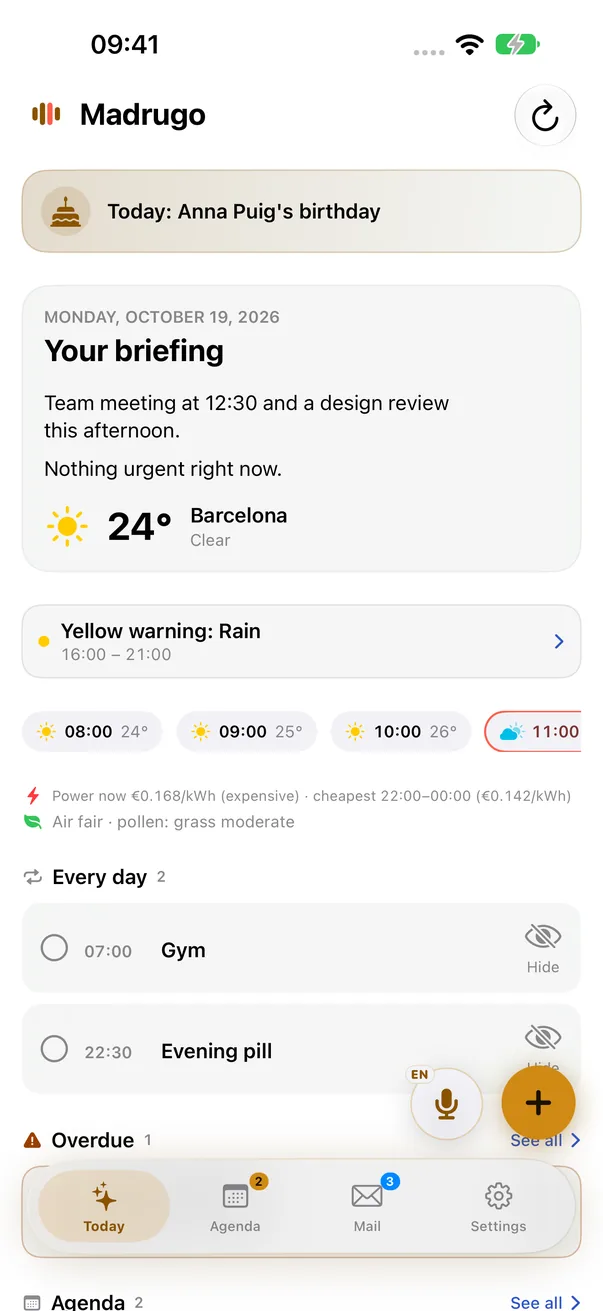
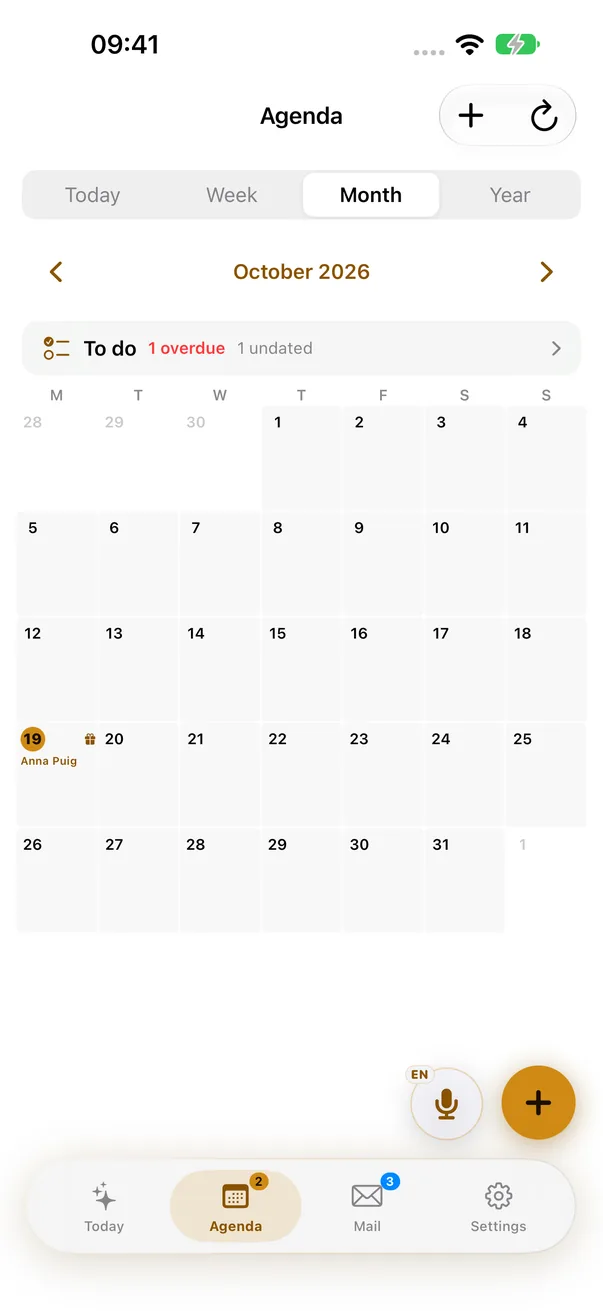
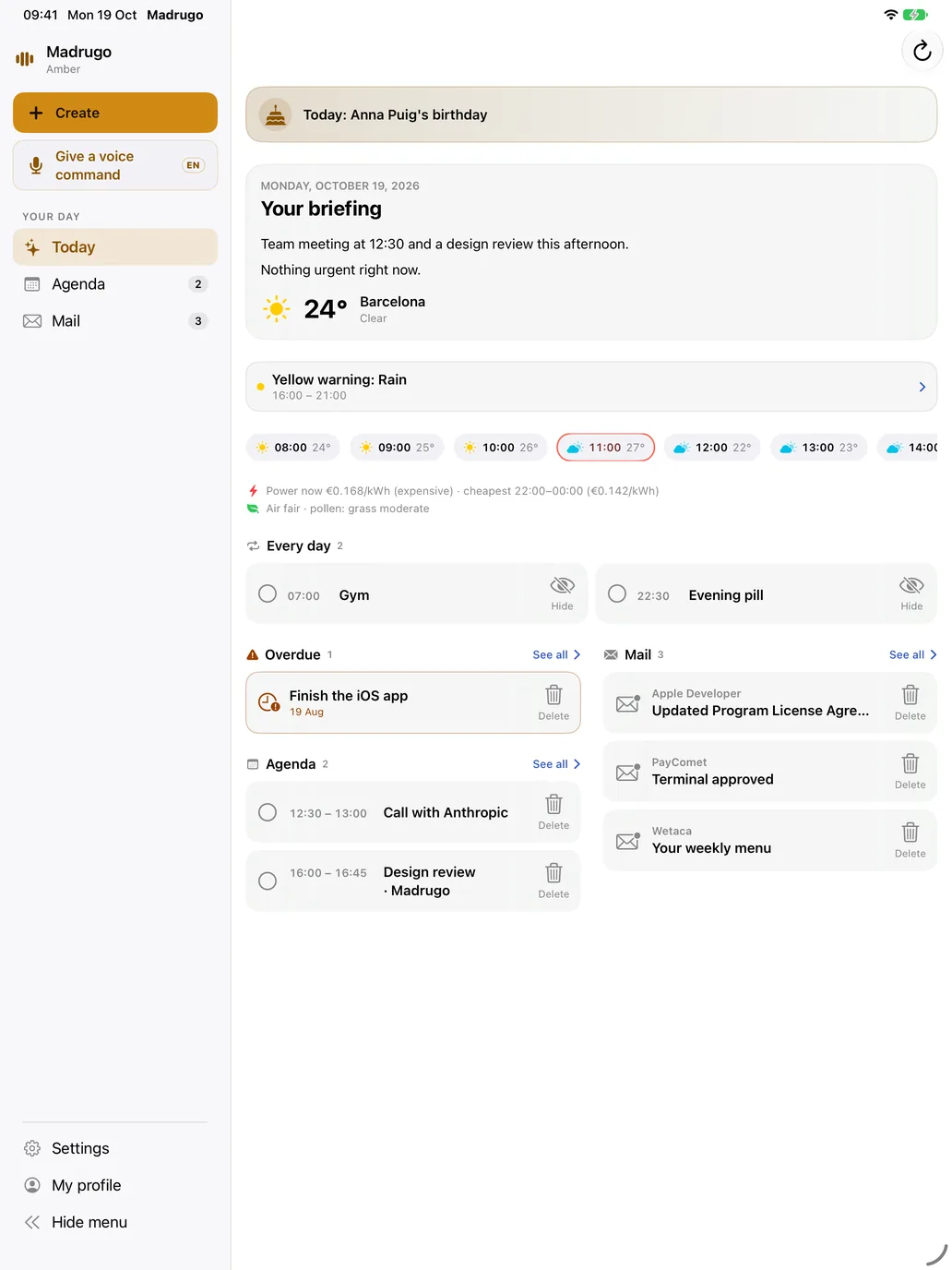
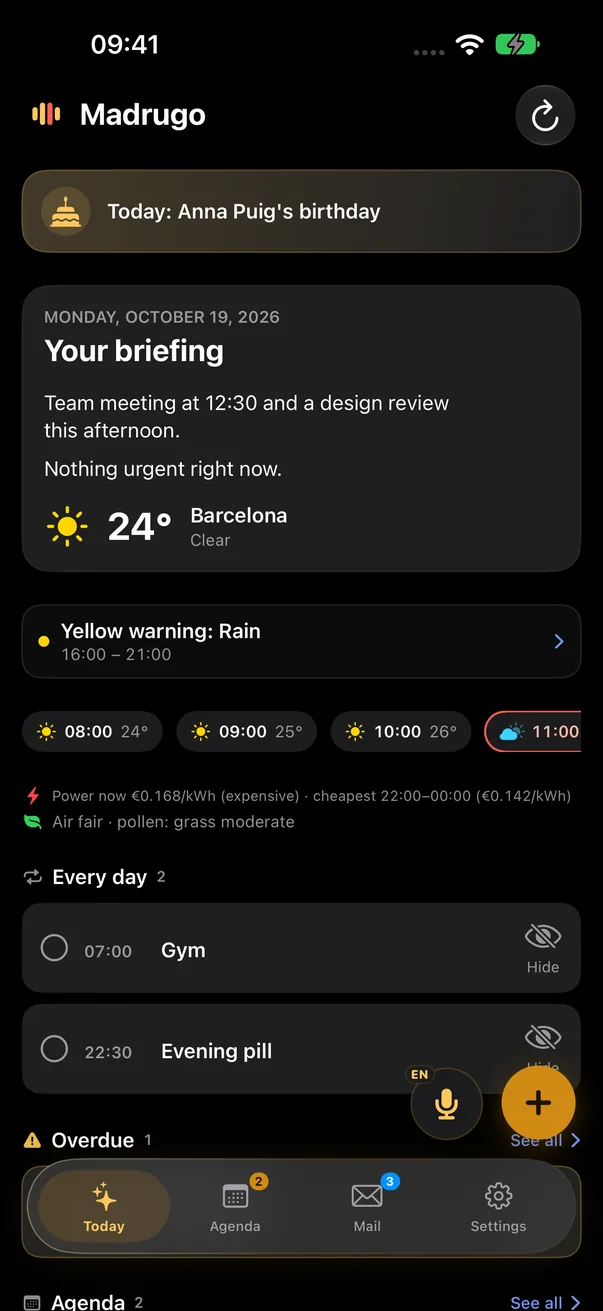
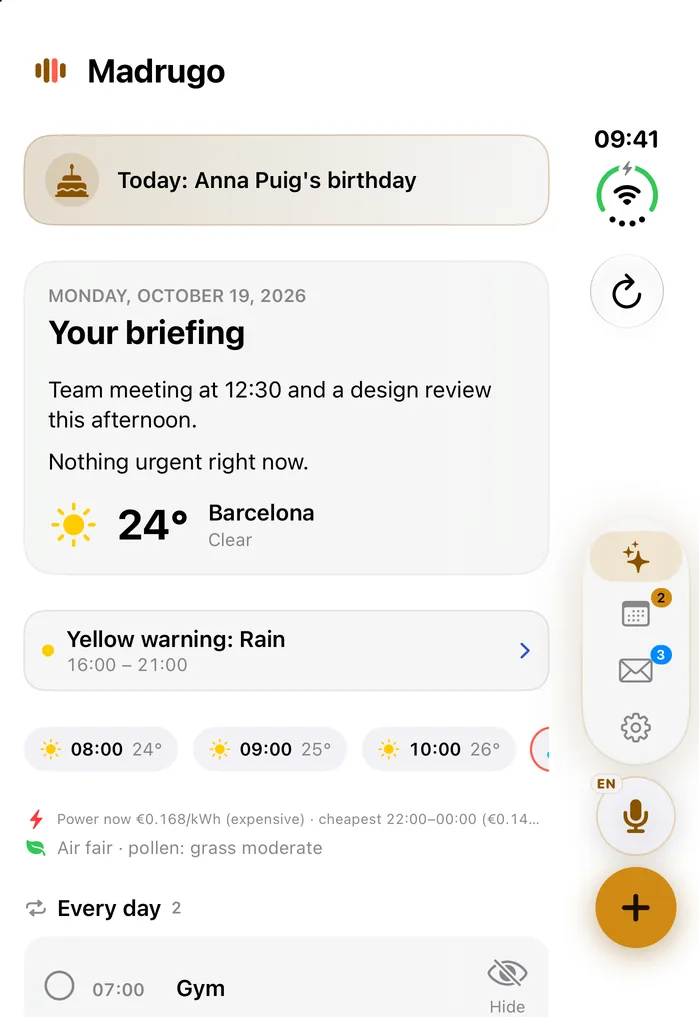
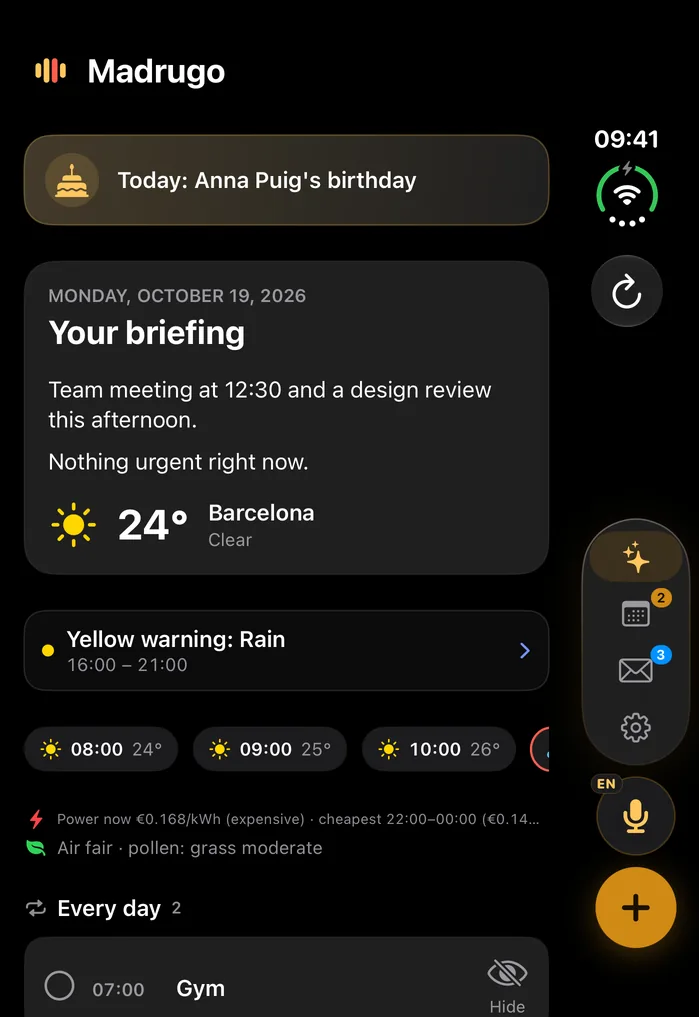
None of them is a mock-up: they are screenshots of Madrugo running with sample data, in light or dark mode to match yours.
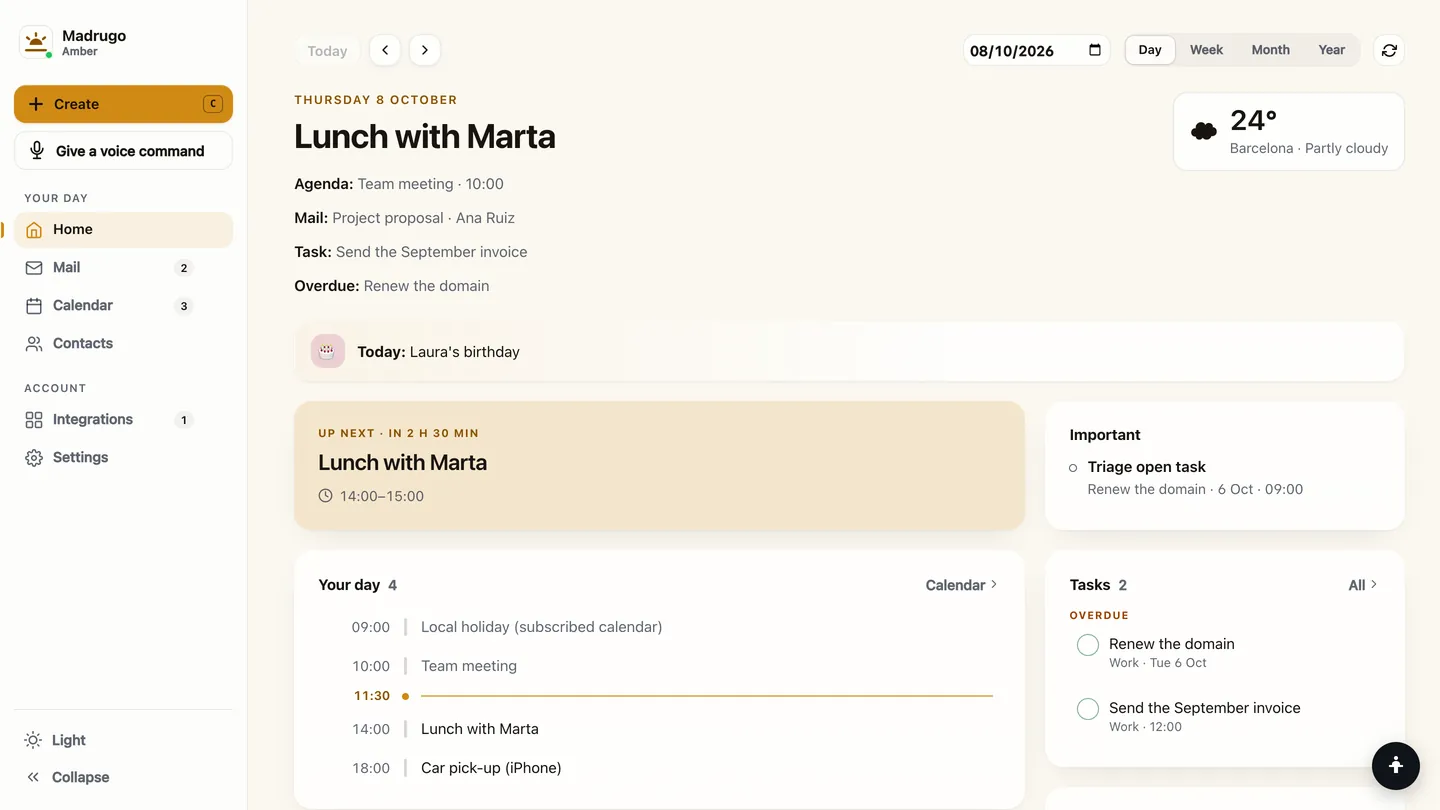
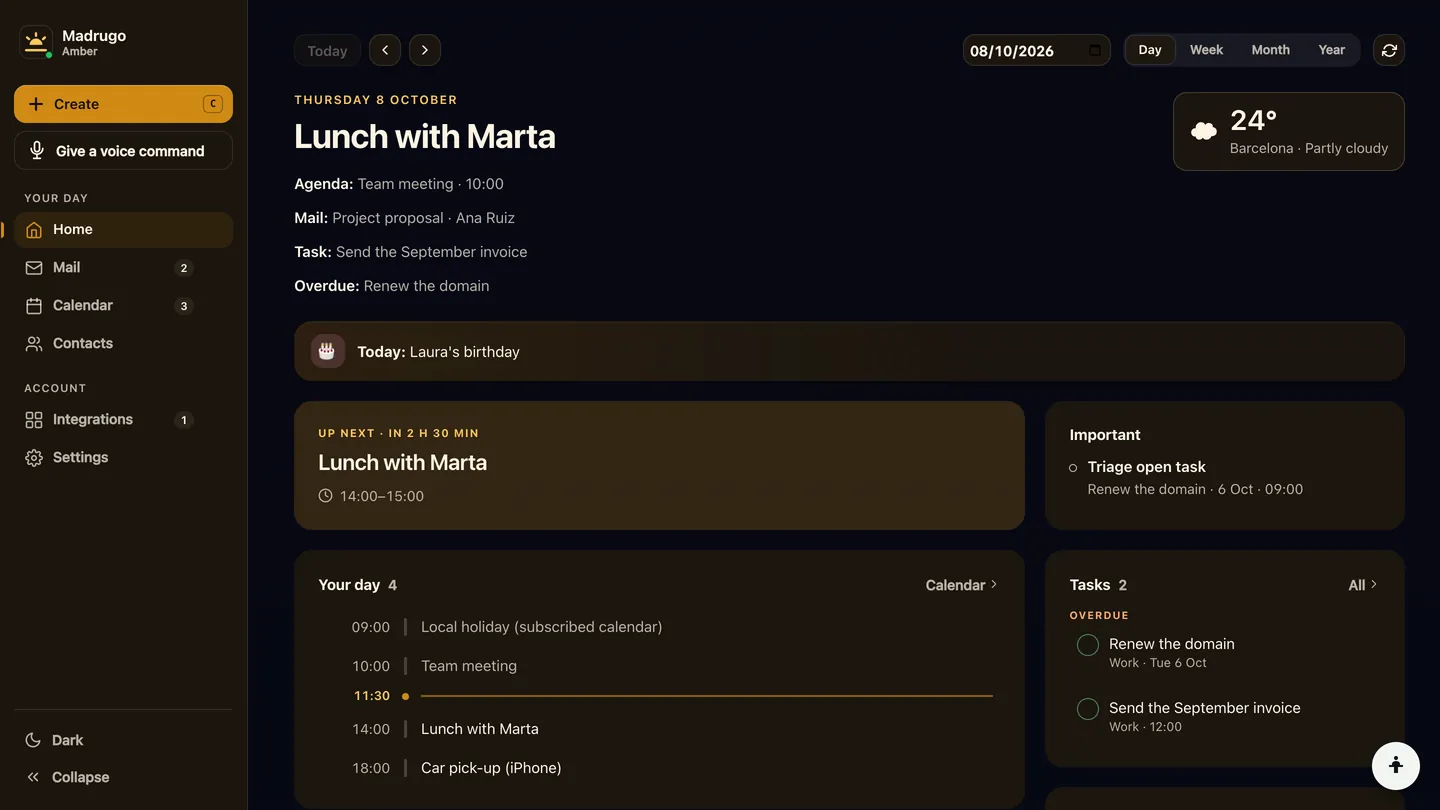
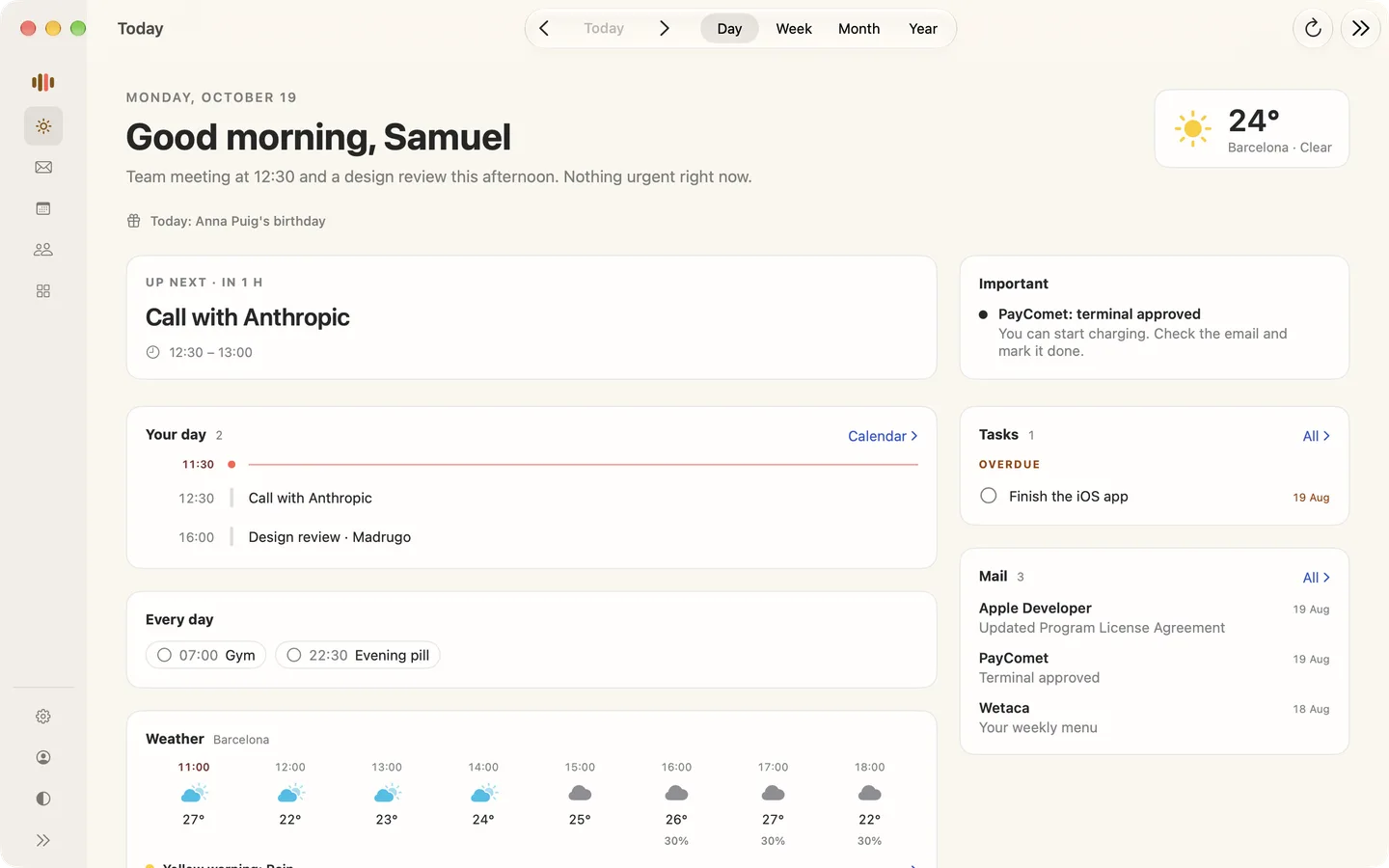
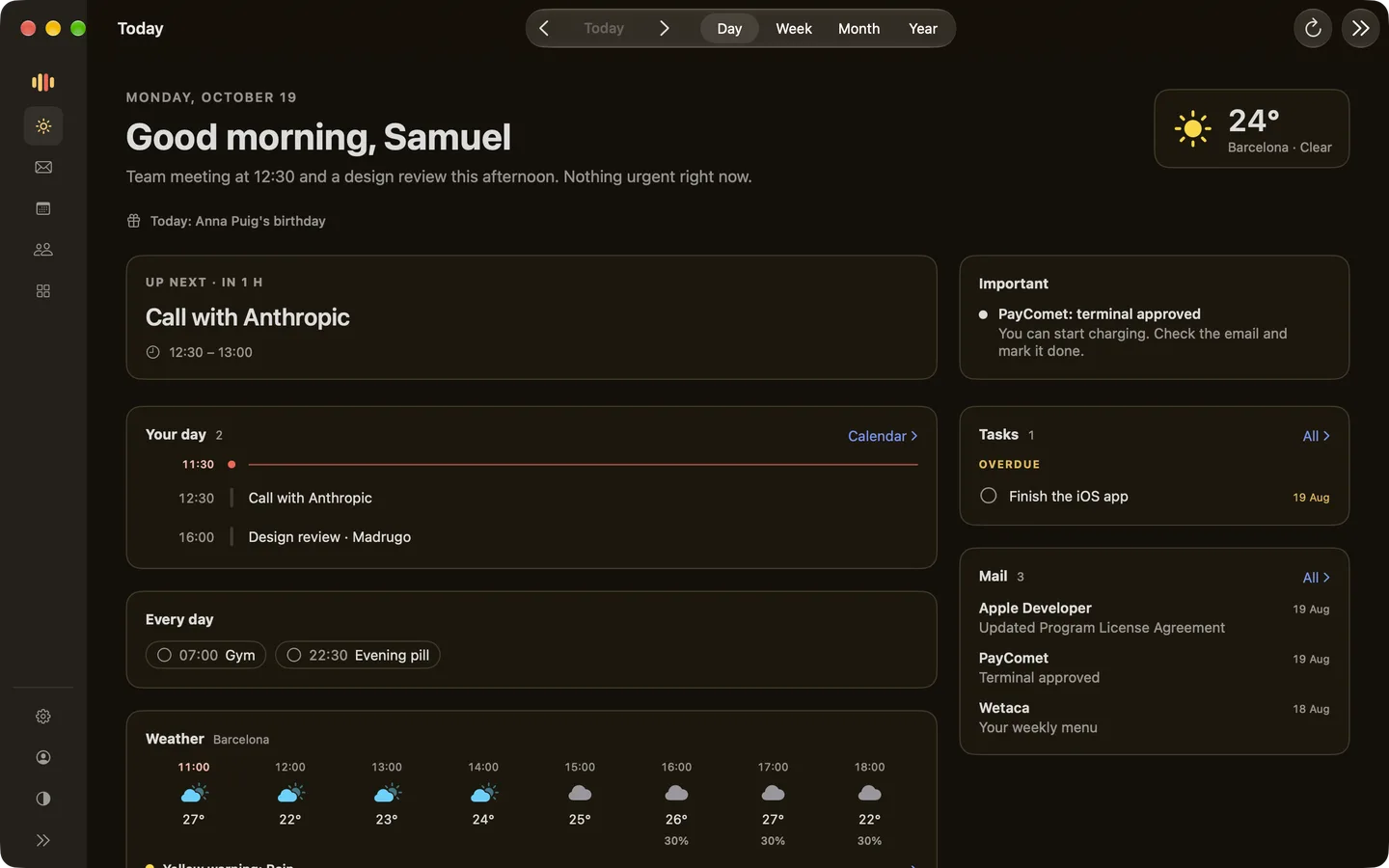
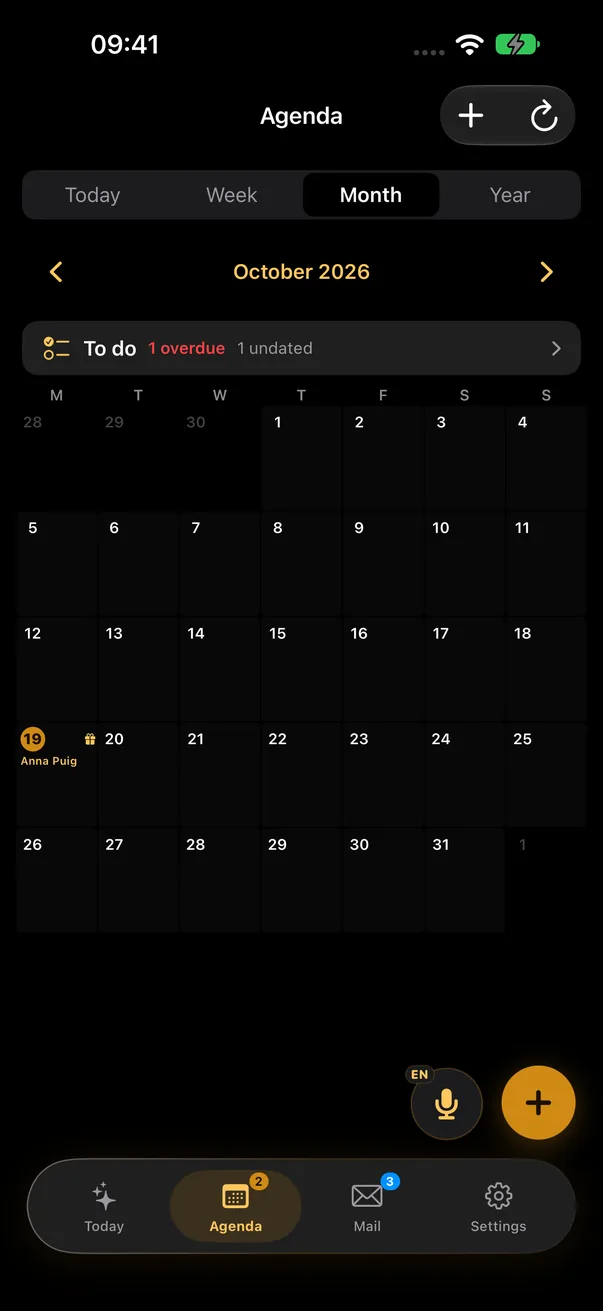
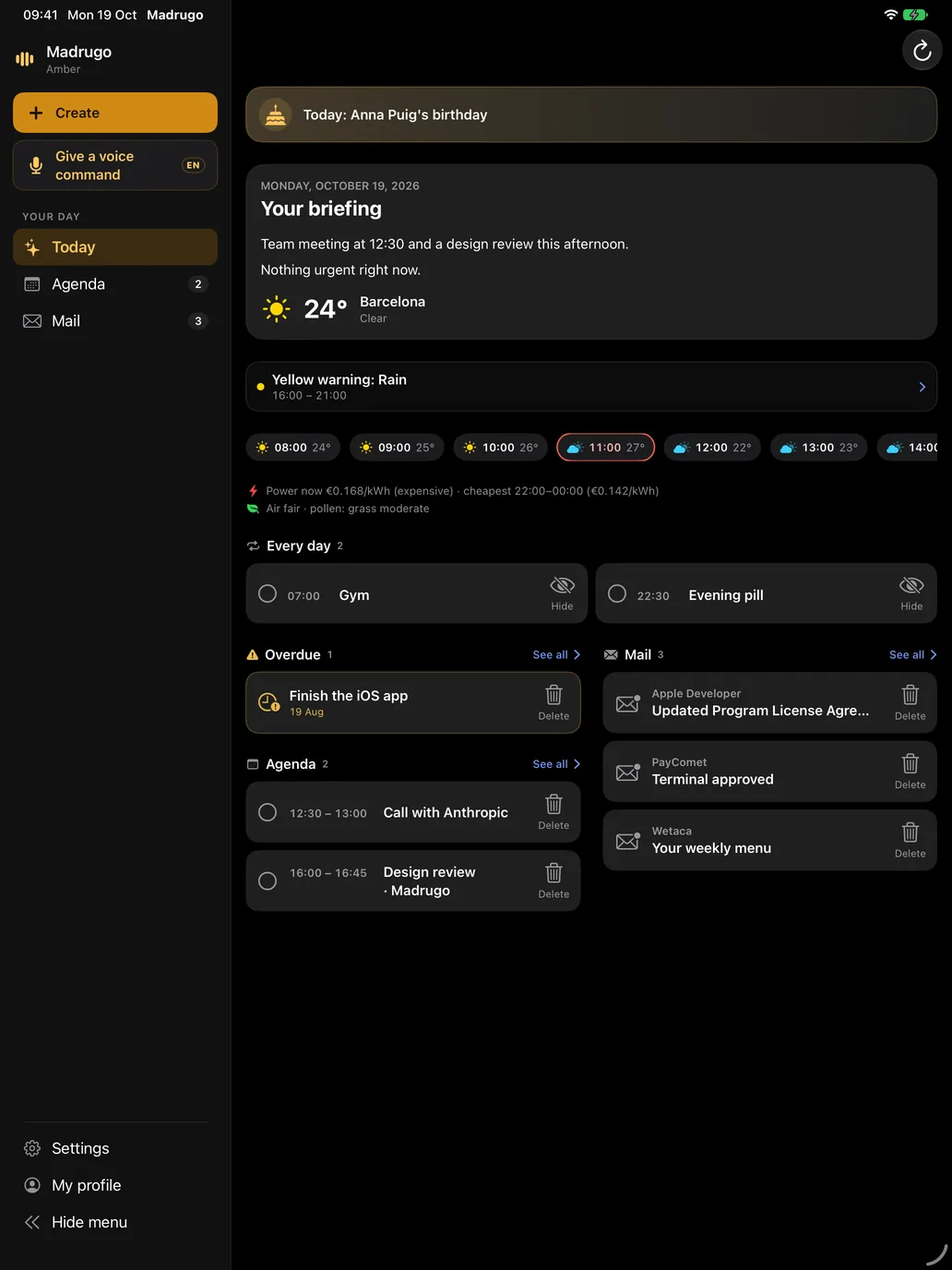
On iPhone and iPad
The native app: Today, the Agenda with your tasks, and Mail, with voice commands and widgets. On iPad, with the menu on the left, like on the web. And on the Apple Watch, with its complications.
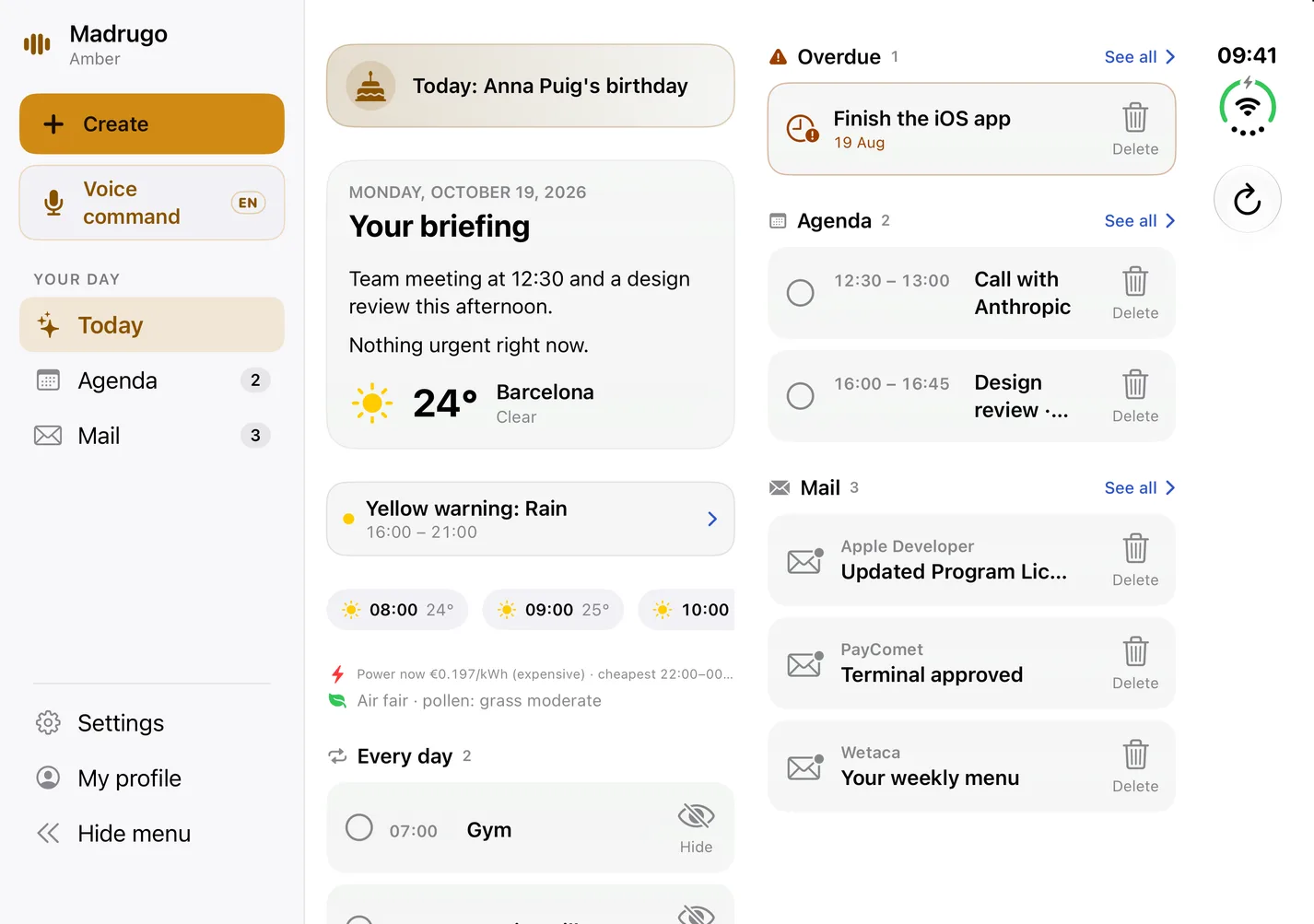
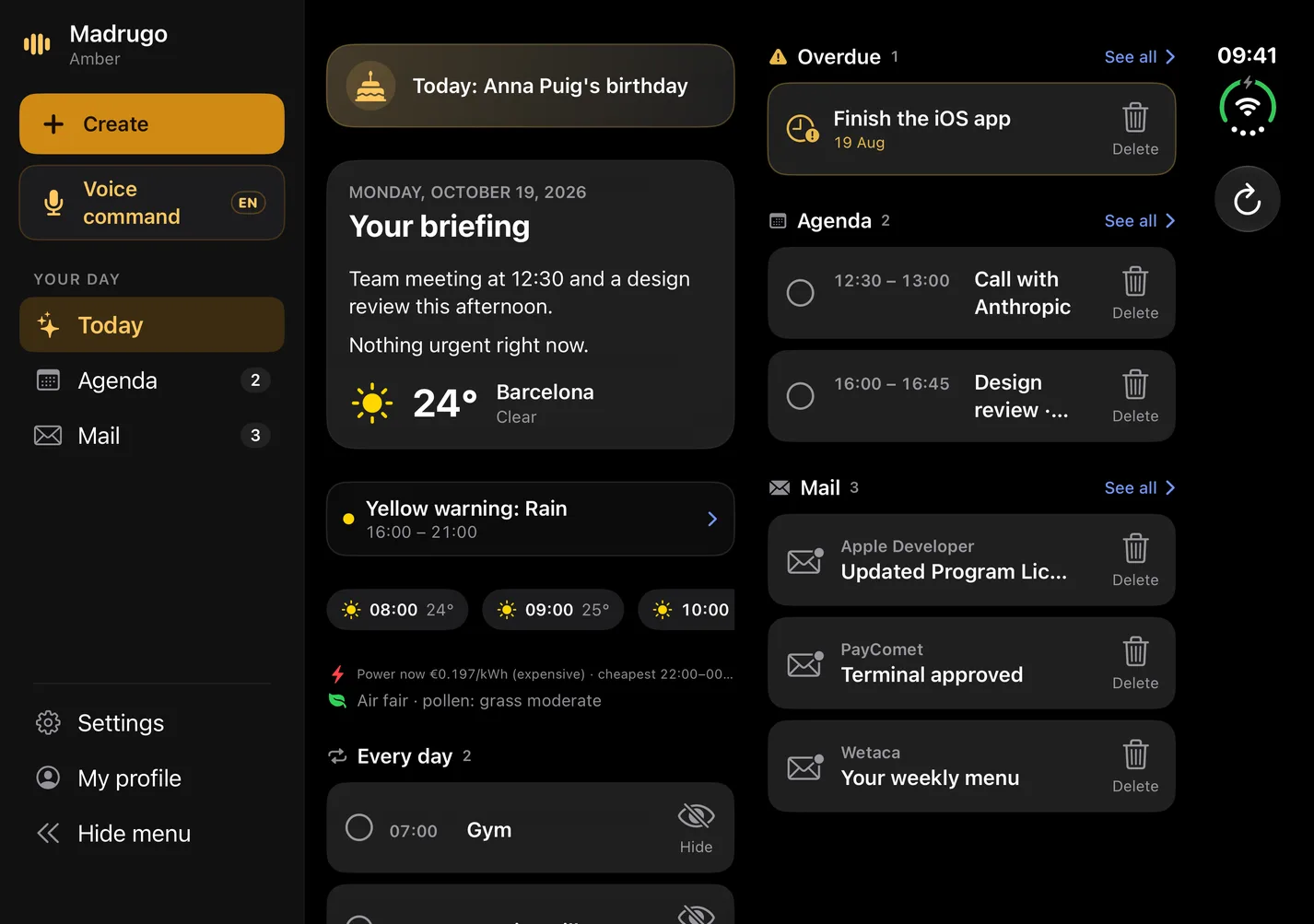
On the iPhone Duo
Folded or open, the tabs, the mic and “+” sit in the strip on the right and the content gets the rest of the screen. Open, Today goes to two columns.
Android
Coming soonThere is no Android app yet. In the meantime, the web works in your phone's browser.
Connections
Connects to what you already use
Each connection uses your own account with clear permissions. Whatever you don't connect is never read.
Google
Gmail, Calendar, Tasks and Contacts
Microsoft 365
Outlook, Calendar, To Do and Contacts
iPhone and iPad
The device's Calendar, Reminders and Contacts
iCloud Mail
With an app password, encrypted at rest
Calendars by link
Any calendar with an iCal link: work, school or your team's
Todoist
Today's and overdue tasks, read-only
tokidu
Your next tasks, read-only and in one tap
It only asks for what you authorize: all at once or one permission at a time.
Privacy
Your data, under your control
What Madrugo does with your data is set out in plain words in the privacy policy. The essentials:
Read the privacy policyIn the European Union
The servers and the database are in the EU. The policy explains when anything leaves it.
AI, if you want it
Switch it off in Settings and the summary is made without it. Your data trains no model.
No ads, no trackers
There is no advertising or analytics, and no data is sold.
Take it or delete it
From Settings you can export your data or delete everything Madrugo keeps from your account.
Color
Choose your color
Eight colors, four pastel and four vivid, in light, dark or high-contrast mode. The one you pick tints the console and the browser tab icon, and it is saved to your profile.
Amber
Vivid
Amber · Vivid
How it looks
Today
Your briefing
Team meeting at 12:30.
Today
Your briefing
Team meeting at 12:30.
In high contrast the color steps aside: white on black.
News
The latest from Madrugo
Access tokens: what they are and 5 cases for revoking them
How a token differs from a password, why there are two types, a table of five cases for revoking them and what you'll notice in the app afterwards.
Gmail and Outlook filters: a table of useful and useless rules
Which email filters are worth creating, which create more work than they save, and a three-question test to decide before switching on a rule.
Broken sync: 6 signs to spot it and a table of causes
What shows that Gmail, Outlook or an iCal calendar has stopped updating, how to check it and what cause lies behind each failure.